ChatGPT can now turn a prompt or a photo into a looping GIF. OpenAI released ChatGPT Images 2.6 on Wednesday, November 4, with GIF creation, saved reference images and two new API models, GPT-Image-2.6 Flare and GPT-Image-2.6 Sunburst, which OpenAI says generate images 50% faster than before.
Image making is one of ChatGPT’s biggest habits. OpenAI says people now create 4 billion images a week across ChatGPT, Codex and the API, up from the 3 billion a week it reported in September, according to The Verge. For developers, the token price didn’t move, but one discount quietly went away.
- Price: Images 2.6 is included on every ChatGPT tier, Free too, and OpenAI hasn’t published a separate GIF allowance. In the API, Flare and Sunburst both cost $30 per million image output tokens, $8 per million image input tokens and $5 per million text input tokens, the same as GPT-Image-2.5.
- Where: ChatGPT and Codex on web, desktop and mobile, plus the API’s image generation and image edit endpoints.
- The catch: GIF creation is still rolling out, ChatGPT can’t edit a GIF you upload, and the 2.6 models don’t support the Batch API, where GPT-Image-2.5 output costs half price ($15 per million tokens).
How GIFs work in ChatGPT Images 2.6
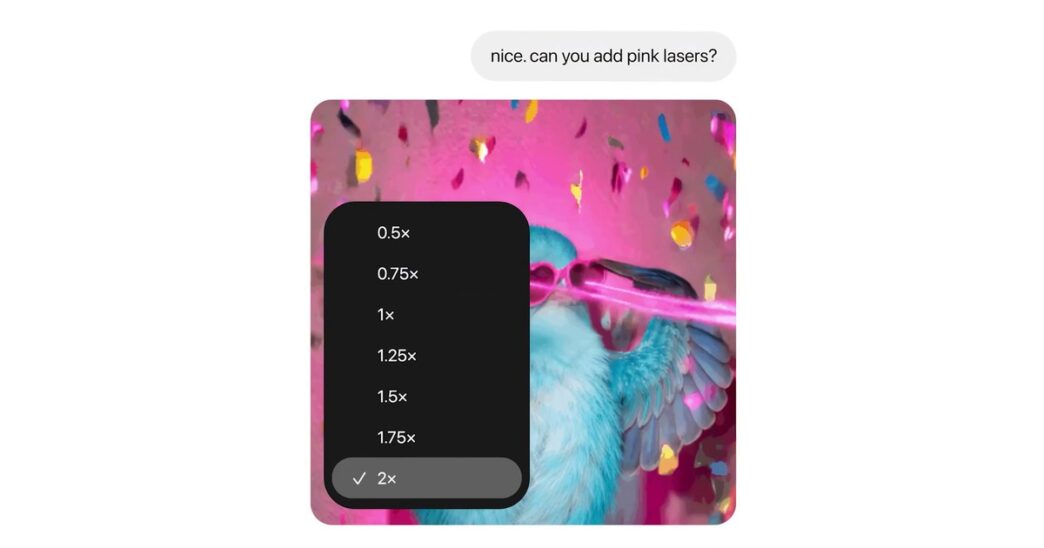
Ask for a looping animation, or upload a still image, such as a sketch or a pet photo, and ask ChatGPT to animate it. OpenAI’s help page suggests prompts like “Make a looping GIF of a paper boat bobbing on the water.” Once the GIF exists, you can open it to change the playback speed, save it or share it, and ask for changes in the chat. The Verge reports that you can also edit individual frames. The launch video shows a speed menu that runs from 0.5x to 2x.
There are limits. ChatGPT can’t edit an animated GIF you upload. And while OpenAI’s launch post says Images 2.6 is available globally on all tiers today, the help page still says GIF creation “is rolling out,” so some accounts won’t see it yet.
The other new ChatGPT feature is saved reference images. Save a photo of your dog as Pepper, and later prompts can call it up as @Pepper without another upload, per OpenAI’s release notes. In Codex, image generation already burns through usage limits about three to five times faster than average, according to OpenAI’s usage guidance, which we covered when ChatGPT and Codex moved to one shared limit. OpenAI hasn’t said how a multi-frame GIF counts against that limit.
Same token price as 2.5, but no Batch discount
In the API, Flare is the fast model and Sunburst is the careful one. OpenAI says Flare can make an image “in as little as six seconds” at low quality, and that Sunburst keeps details more consistent across edits at medium or high quality. The two list identical token rates on their model pages, and those rates match GPT-Image-2.5.
| Per million tokens | GPT-Image-2.6 (Flare or Sunburst) | GPT-Image-2.5 |
|---|---|---|
| Text input (cached) | $5 ($1.25) | $5 ($1.25) |
| Image input (cached) | $8 ($2) | $8 ($2) |
| Image output | $30 | $30 |
| Image output via Batch API | Not supported | $15 |
The last row is the catch. The GPT-Image-2.5 model pages list Batch support at $15 per million output tokens. The 2.6 pages list Batch as not supported, along with the Responses API, so the new models only run through the Image API’s generation and edit endpoints. A team that renders product shots in bulk through Batch would pay twice as much per output token by switching, so 2.5 stays the cheaper choice for jobs that can wait. OpenAI hasn’t said whether Batch support is coming.
OpenAI hasn’t published a per-image price for 2.6 either. Its image generation guide offers a calculator and notes that models can use different token counts at the same quality setting.
The new API controls, and a default worth changing
A new complexity setting (low, medium or high) controls how much the model plans before it renders. It carries no separate fee, and if you leave it out, both models default to high. That’s the setting to override first: OpenAI’s launch post recommends low complexity for most editing tasks, and its guide warns that higher complexity can add latency and “introduce unwanted changes.”
Markup, already in ChatGPT, lets you draw where an edit should go (edit endpoint only). SVG output turns a generated design into a vector file, one per request, billed at the image rate for a reference image plus the tokens of the model that writes the SVG. GIF output takes 2 to 64 frames (9 by default) at 20 to 2,000 milliseconds each (200 by default), on the generation endpoint only and without streaming.
Early users named in the launch post include OpenArt, Figma Weave and Town. “GIFs are the native language of social media, and GPT-Image-2.6 lets every OpenArt creator speak it fluently from a single prompt,” said Coco Mao, OpenArt’s CEO and co-founder.
OpenAI’s safety card shows Flare let a few more images through
OpenAI’s system card tested both models on 3,077 adversarial prompts written to produce policy-violating images. After moderation, Sunburst’s share of unsafe images that got through fell from 1.92% to 1.72% against its 2.5 baseline. Flare’s rose from 1.49% to 2.14%, or 66 prompts instead of 46. OpenAI says neither overall change is statistically significant and that the test set doesn’t reflect real traffic.
GIFs got their own safeguards, because motion can carry meaning a single frame doesn’t, and OpenAI says GIF rules block some categories more broadly than still images. It also concedes that “motion-related violations remain challenging to detect.” Images 2.6 output carries C2PA metadata plus Google DeepMind’s SynthID invisible watermark across ChatGPT, Codex and the API, according to the card.
What to watch next
Watch whether GIFs reach every account, including Free, and what limit OpenAI puts on them. For developers, the open question is Batch: until the 2.6 models support it, high-volume jobs have a reason to stay on 2.5. And once ChatGPT and Codex share one usage limit in December, what a GIF costs against that allowance will matter more than the token price.
Frequently asked questions
Is ChatGPT Images 2.6 free?
Yes. OpenAI says Images 2.6 is available on all ChatGPT tiers, including Free, but usage limits apply and OpenAI hasn’t published a separate allowance for GIFs. GIF creation is still rolling out, so it may not appear on every account yet.
How do I make a GIF in ChatGPT?
Ask for a looping GIF and describe what should move, or upload a still image and ask ChatGPT to animate it. You can then change the playback speed, save or share the GIF, and request edits in the chat. ChatGPT can’t edit an animated GIF you upload.
How much does GPT-Image-2.6 cost in the API?
Flare and Sunburst both cost $30 per million image output tokens, $8 per million image input tokens ($2 cached) and $5 per million text input tokens ($1.25 cached), the same as GPT-Image-2.5. Unlike 2.5, they don’t support the Batch API.
What’s the difference between Flare and Sunburst?
Flare is built for speed. OpenAI says it can generate an image in as little as six seconds at low quality. Sunburst is aimed at higher-quality images and keeps details more consistent across edits at medium or high quality.
Sources
- OpenAI, “Introducing Images 2.6,” November 4, 2026: openai.com
- OpenAI Help Center, ChatGPT release notes (November 4, 2026 entry): help.openai.com
- OpenAI Help Center, “Images in ChatGPT”: help.openai.com
- OpenAI API docs, GPT-Image-2.6 Sunburst model page: developers.openai.com
- OpenAI API docs, GPT-Image-2.6 Flare model page: developers.openai.com
- OpenAI API docs, GPT-Image-2.5 Sunburst model page: developers.openai.com
- OpenAI API docs, image generation guide: developers.openai.com
- OpenAI Deployment Safety Hub, “ChatGPT Images 2.6 System Card,” November 4, 2026: deploymentsafety.openai.com
- The Verge, Emma Roth, “ChatGPT will now make you animated GIFs,” November 4, 2026: theverge.com
- OpenAI (@OpenAI) launch post on X, November 4, 2026: x.com/OpenAI
- OpenAI, “Introducing ChatGPT Images 2.6” (official YouTube channel, November 4, 2026): youtube.com
All sources accessed November 5, 2026.
Last updated: November 5, 2026. To report an error, see our corrections page. Articles are drafted with AI assistance and reviewed and edited by an editor; see our editorial policy.